
Kubernetes GUI 工具 dashboard
- Vscode 上面的 Kubernetes 插件
- Dashboard 面版。 使用浏览器来管理。
- Kubesphere 类似于面板。 使用浏览器来管理
- 云平台自带的。(各大云平台也会自带管理的工具)
- IDE Lens (要收费了)
Kubernets Vscode 插件
跟安装其它的插件一样,搜索 Kubernetes 安装。 如果我们本地有配置好 kubeconfig, 我们就可以看到如下的 界面。
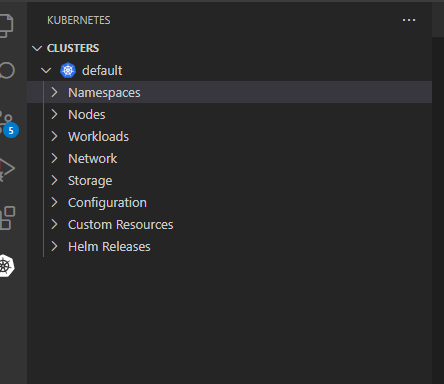
我最常用它来切换 namesapce.
Dashboard 网页版
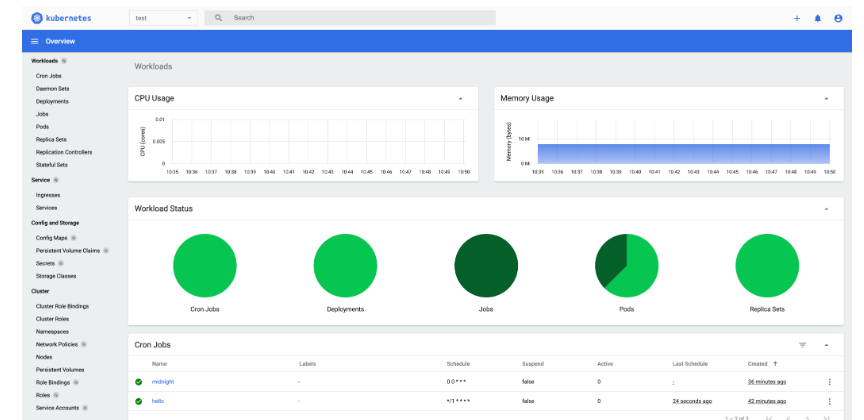
安装
shell
kubectl apply -f https://raw.githubusercontent.com/kubernetes/dashboard/v2.6.1/aio/deploy/recommended.yaml访问
kubectl proxy现在就可以用如下的url来访问它了 http://localhost:8001/api/v1/namespaces/kubernetes-dashboard/services/https:kubernetes-dashboard:/proxy/
可以选择 Kubeconfig 或者token来访问它了。 token
得到当前用户的 token
kubectl -n kube-system describe $(kubectl -n kube-system get secret -n kube-system -o name | grep namespace) | grep tokenKubesphere
完全开原,看起来有点类似于 Dashboard。 介绍里有介绍支持多集群。 还没有用过 https://kubesphere.com.cn/
Kubernetes IDE
桌面版本,管理很方便。 Lens https://k8slens.dev/